One Media Element: Getting Spotify and a Camera Feed Onto the Same TV
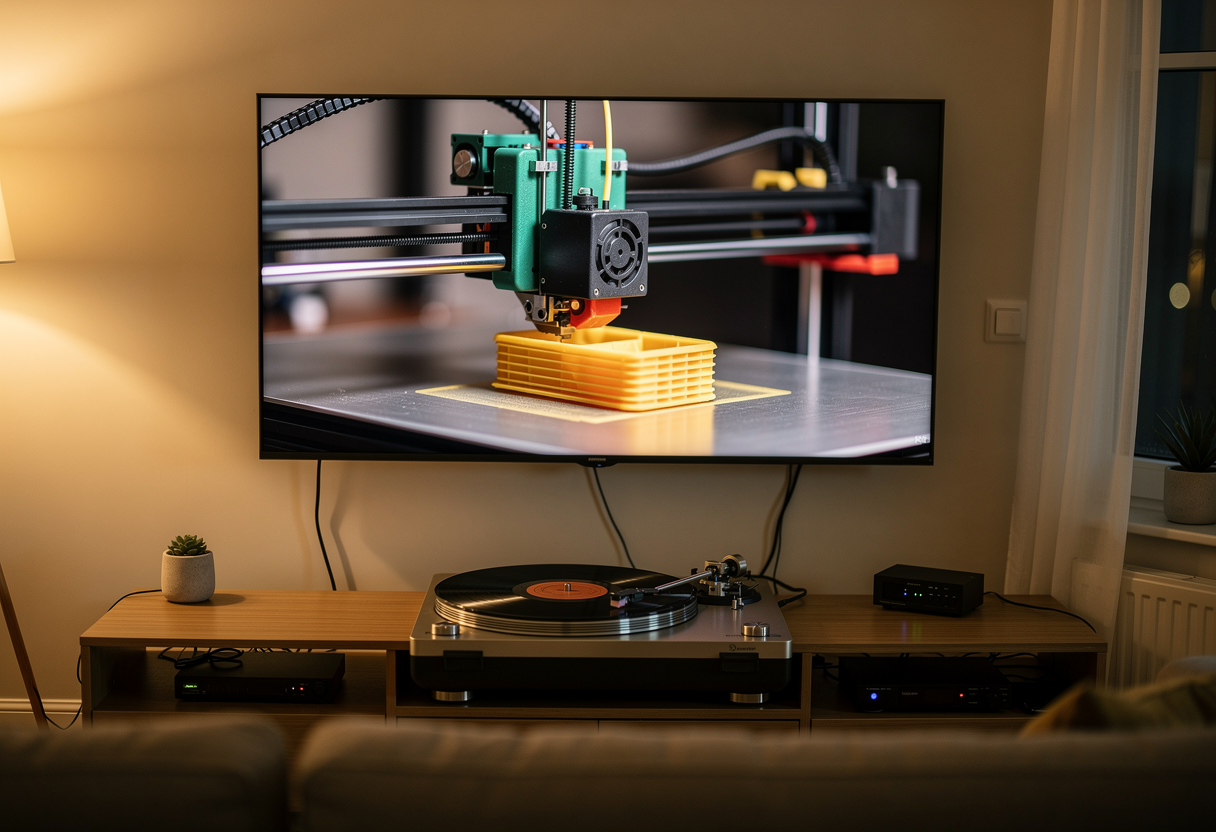
I have a TV app that shows the camera on my 3D printer. It works nicely: 1080p, hardware decoded, smooth. What it didn't do was play music, and watching a printer lay down layers in silence for four hours is a worse hobby than it sounds.
The obvious fix is to add an <audio> element. That does not work, for a reason that took an evening to find and about ninety seconds to verify. This guide is the working version: by the end you'll have a webOS app showing a live camera feed at full quality, appearing in Spotify's device list as a Connect target, and playing both through a single video element — because a single video element is all the television will give you.
What you'll need
- A webOS TV app. Mine targets an LG B3 (webOS 23, Chromium 108). Any platform with a one-media-element restriction has the same problem and the same solution.
- An always-on box with
ffmpeg, go2rtc and librespot. A Mac mini, a NUC, a Raspberry Pi 4 — anything that can encode 1080p H.264 in hardware. This machine does all the work; the TV just plays what it's handed. - A camera stream. Mine is
mjpg-streameron the OctoPrint box, serving 1080p15 MJPEG. - Spotify Premium. librespot needs it.
Step 0: Verify the constraint before you waste an evening
Do this first. It takes two minutes and it determines the entire architecture.
Put a <video> and an <audio> on a page, play both, and log paused on each. On the B3:
| Action | Video | Audio |
|---|---|---|
| Tone playing | paused=true (the OS paused it) | playing |
Force video.play() | paused=false | paused=true, frozen |
| Stop tone, resume video | paused=false | — |
Whichever element starts last wins, and the OS pauses the other. It is not a DRM restriction and it is not Spotify's doing — that test used a plain AAC file off the local disk. LG document it as "use only one audio element in your app" to avoid hardware decoder conflicts, and their forums describe a second media element quietly taking the first one's rendering surface away.
So everything that plays audio alongside the video is dead on arrival. That includes the Spotify Web Playback SDK, which is otherwise perfectly happy on this TV — Widevine instantiates, the SDK accepts the environment, the device appears in the Connect list. It just can't coexist with the picture.
Three other routes I tried, so you don't have to:
- MJPEG in an
<img>plus an<audio>. This genuinely works, because an<img>isn't a media element and doesn't touch the hardware pipeline. But the TV software-decodes 1080p JPEGs at ~228 KB a frame and it's visibly jerky. Downscaling smooths it out and throws away the quality you wanted. - WebRTC video plus the Spotify SDK. Also coexists, because webOS software-decodes WebRTC rather than routing it through the hardware pipeline — and that's precisely why it's unusable. ~73 ms per frame at 1080p is a ~13.7 fps ceiling against a 15 fps source, so it falls slowly behind and then jumps to catch up. Switching the encoder to
constrained_baselinegot it from ~91 ms to ~73 ms and still didn't unlock hardware decode. - WebCodecs.
VideoDecoderexists, butprefer-hardwarereportssupported: false. Software only, so the same class of problem.
The pattern is hard to miss: anything that dodges the one-element rule does so by leaving the hardware decoder behind, and the hardware decoder is the whole reason the picture is good.
The shape of the solution
If the TV will only give you one media element, give it one media element — with both tracks already inside it. Mux upstream, on a machine that has no such restrictions.

Two producers, one stream. go2rtc owns the muxing and the TV plays the result. The interesting part is that librespot sits outside go2rtc's process tree, and Step 4 explains why that matters more than it looks.
Step 1: Encode the video with hardware acceleration
go2rtc's exec: producer takes an ffmpeg command line with {output} standing in for the RTSP URL it wants you to publish to:
streams:
  printer_av:
    - "exec:ffmpeg -hide_banner -v error
         -hwaccel videotoolbox -hwaccel_output_format videotoolbox_vld
         -fflags nobuffer -flags low_delay
         -use_wallclock_as_timestamps 1
         -i http://172.29.0.32:8090/?action=stream
         -c:v h264_videotoolbox -g 30 -bf 0 -profile:v high -level:v 4.1
         -an -fps_mode passthrough
         -rtsp_transport tcp -f rtsp {output}"
-use_wallclock_as_timestamps 1 matters far more than it appears to, and Step 5 is where it bites.
The acceleration flags are the only platform-specific part of this whole setup. On macOS it's VideoToolbox; on Linux/x86 with an Intel or AMD GPU it's -hwaccel vaapi and h264_vaapi; on a Raspberry Pi 4 it's h264_v4l2m2m. The Pi 5, in a decision I'm still cross about, has no H.264 hardware encoder at all — use libx264 -preset ultrafast, which its A76 handles comfortably at 1080p15.
While you're in the config, set this:
api:
  listen: ":1984"
  origin: "*"
A webOS app runs from file://com.nakomis.naktv-webos, which is a genuine origin rather than an opaque one, and go2rtc will return a 403 on the WebSocket upgrade without it. That is a cheap mistake to spend an hour on.
Step 2: Turn the box into a Spotify Connect device
librespot does the whole Connect protocol — zeroconf discovery, the lot — and its pipe backend writes raw PCM to stdout:
librespot --name NakTV --backend pipe --bitrate 320 --initial-volume 50
Run that and "NakTV" appears in the device list on your phone. What comes out of stdout is signed 16-bit little-endian stereo at 44.1 kHz, which is a detail you need in two places shortly.
Don't pipe it straight into ffmpeg. That was my first attempt and it produces something genuinely memorable.
Step 3: Pace the PCM

librespot has no internal rate limiting. Its pipe backend relies on the sink blocking to pace it, the way a real sound card does. Consume eagerly and it dumps an entire track as fast as the pipe will take it — which sounds like garbled static, and then librespot concludes the track has finished and skips to the next one. And the next. My first working version chewed through an album in about forty seconds whilst producing a noise my wife described, generously, as experimental techno.
There's a second problem hiding behind the first: librespot writes nothing at all whilst paused. That starves ffmpeg, the audio track stalls, and on a muxed stream a stalled track can take the picture down with it.
Both are fixed by a small pacer between librespot and ffmpeg. It reads at most one 20 ms chunk per tick — which back-pressures librespot into behaving like a sound card is attached — and substitutes silence when nothing arrives:
RATE = 44100
CHANNELS = 2
SAMPLE_BYTES = 2
FRAME = CHANNELS * SAMPLE_BYTES        # 4 bytes: one sample for each ear
CHUNK_MS = 20
CHUNK = int(RATE * CHUNK_MS / 1000) * FRAME
That FRAME constant is the part I'd like you to take away from this post, because getting it wrong is genuinely hard to diagnose. A stereo S16 frame is four bytes, and you must never write a partial one. Split a frame down the middle and every subsequent sample is offset by two bytes, so the left channel's data arrives in the right channel's slot and stays there — permanently, for the rest of the stream. It sounds like static, not like a glitch, and nothing in any log mentions it.
So the pacer only ever emits whole frames, and pads the remainder with silence:
available = min(len(pending), CHUNK)
usable = available - (available % FRAME)
frame = bytes(pending[:usable])
del pending[:usable]
if len(frame) < CHUNK:
    frame += silence[len(frame):]
A test that counted misaligned frames across a run found 2,017 before that change and zero after.
Step 4: Keep librespot out of go2rtc's process tree
This is the design decision that's easiest to get wrong, because the tidy-looking option is the broken one.
go2rtc starts and stops its producers whenever the last consumer comes or goes — an app reload, a tab switch, a sideload, a brief network blip. If librespot is a child of the audio producer, every single one of those events mints a new Connect device and leaves Spotify talking to a dead one. Pressing play on your phone then does nothing whatsoever, silently, and the device list slowly fills up with identical entries named NakTV.
So librespot and the pacer run as their own long-lived process, writing into a named pipe, and go2rtc's audio producer only ever reads from that pipe:
librespot --name NakTV --backend pipe --bitrate 320 \
  | python3 pcm-pacer.py --output /tmp/naktv-spotify.pcm
Two details make the pipe survive go2rtc restarting the far end at will. The pacer opens it read-write, so it never sees EOF or a broken pipe no matter how often ffmpeg comes and goes; and it writes non-blocking, so with nothing reading, audio is dropped on the floor rather than backing up and stalling playback. go2rtc can restart its side as often as it likes and the Spotify session never notices.
One more thing worth knowing: librespot does not exit on a broken pipe. Kill the pipeline carelessly and you leave orphans advertising duplicate devices, so start the whole thing under set -m and kill the process group, and sweep for strays on startup.
Step 5: Mux the audio in
The audio producer is deliberately boring, because go2rtc restarts it freely and nothing important may live here:
exec ffmpeg -hide_banner -loglevel warning \
  -use_wallclock_as_timestamps 1 -f s16le -ar 44100 -ac 2 -i "$FIFO" \
  -af aresample=async=1 \
  -c:a aac -b:a 160k -ar 48000 -ac 2 \
  -rtsp_transport tcp -f rtsp "$OUT"
Two flags there are load-bearing.
-use_wallclock_as_timestamps 1, again. The video producer stamps frames with the wall clock because the MJPEG source carries no timestamps of its own. Raw PCM on a pipe has none either, so without this ffmpeg numbers the audio from zero — and the two tracks end up on completely different timelines. Muxed together, the player locks onto one and decides the other's frames are wildly out of range, so it never renders them. The symptom is sound plays and the picture never appears, which sends you looking at the video pipeline, which is fine.
-af aresample=async=1. The wallclock stamps arrive with the jitter of whenever ffmpeg happened to read the pipe rather than when the samples were generated, so consecutive packets can land slightly out of order. ffmpeg logs "Non-monotonic DTS" for every packet and quietly rewrites the timestamps itself, and on a muxed stream that unsettles the video too — the player stalls waiting on audio and then jumps. Resampling to a continuous timeline keeps the wallclock base the video is aligned to whilst making the output strictly monotonic.
Add it to the stream as a second producer and go2rtc does the muxing:
streams:
  printer_av:
    - "exec:ffmpeg ... {output}"          # video
    - "exec:spotify-audio.sh {output}"    # audio
curl -X POST http://127.0.0.1:1984/api/restart reloads the config in place.
Step 6: Play it on the TV with MSE
Now the last trap. go2rtc offers several transports and on this TV only one of them carries both tracks:
| Transport | Result |
|---|---|
Progressive stream.mp4 | Plays the audio, never renders the video |
HLS stream.m3u8 | Refused outright with NotSupportedError |
| MSE over WebSocket | Both tracks, hardware decoded |
The protocol is go2rtc's own: connect to /api/ws?src=NAME, send a mse message listing the codecs you support, get back a MIME type to open a SourceBuffer with, then append every binary frame that follows.
const CODECS = 'avc1.640029,avc1.42E01E,mp4a.40.2';

socket.onopen = () => socket.send(JSON.stringify({ type: 'mse', value: CODECS }));

socket.onmessage = (event) => {
  if (typeof event.data === 'string') {
    const message = JSON.parse(event.data);
    sourceBuffer = mediaSource.addSourceBuffer(message.value);
    sourceBuffer.mode = 'segments';
    sourceBuffer.addEventListener('updateend', flush);
    return;
  }
  queue.push(event.data);
  flush();
};
Advertise both codecs in that string. It's what tells go2rtc which mux to build, and asking for video alone gets you exactly that.
Step 7: Make it survive the night
A demo that works for ten minutes is not the same as a picture that's still there in the morning. Three things earned their place, all of them after the fact.
Watch segment arrival, not currentTime. When go2rtc restarts a producer the WebSocket stays open and simply stops delivering. Nothing fires an error, nothing closes, and the picture freezes silently until somebody relaunches the app. My first watchdog timed currentTime and never once fired — because the live-edge chase nudges currentTime every second, which resets a progress-based clock and hides exactly the stall you're hunting. Time the arrival of segments instead; that's the thing that actually stops.
Never drop queued segments. When the queue backs up, dropping a few to catch up is the obvious move and it is a trap. A segment that's dropped before it's appended punches a hole in the buffer, and MSE will not skip a hole — the playhead reaches it and stops there forever, with perfectly good data buffered on the far side it will never reach. Reconnecting is cleaner: it starts fresh at the live edge, and the hole never exists.
Skip gaps you're already stranded in. For holes that predate your good intentions — the encoding box asleep, a flaky link — check whether the playhead sits outside every buffered range. If it does, playback cannot proceed from there under any circumstance, so jumping to the start of the next range is always safe:
for (let i = 0; i < ranges.length; i += 1) {
  if (ranges.start(i) > video.currentTime) {
    // A shade past the boundary: landing exactly on it can strand us again.
    video.currentTime = ranges.start(i) + 0.05;
    return true;
  }
}
And set your live-edge target somewhere sensible. I originally chased to within 300 ms, which on a 15 fps source guarantees starvation — the picture hung for a second, then continued, over and over. 3 seconds of target with an 8 second maximum lag is smooth and still feels live.
What you've got
A television showing a 1080p hardware-decoded camera feed, appearing in Spotify's device list, playing music through the same speakers — all through a single <video> element, because that's all it was ever going to allow.
The general lesson travels further than webOS. When a platform hands you a hard limit of one, the instinct is to look for a way round it. It's usually cheaper to satisfy it honestly and move the complexity somewhere the rules don't apply — in this case, a Mac in the study doing the muxing that the TV was never going to permit.
Where to go next
The encoding box is currently my laptop, which is a fine place to prove something works and a terrible place to leave it — laptops sleep, and a sleeping laptop is an indistinguishable-from-broken camera feed.
Mine's moving to a 2011 MacBook Pro that I revived from a dead graphics chip and put Ubuntu on. That sounds like a downgrade and mostly isn't: the whole pipeline measured at 0.41 of a core on a modern i9, so even fifteen-year-old silicon has room, and the thing has a healthy battery, which makes it the only machine in the house with a built-in UPS. Pick whatever you've got that stays awake.
The whole thing — go2rtc config, the pacer, the supervision scripts and the MSE client — is in nakomis/naktv under CC0. Take any of it.
Martin Harris connects cloud infrastructure to the real world. If you've ever muxed a music stream into a 3D printer's camera feed because the television flatly refused to play both, you're in the right place.
If you find this blog useful, please consider a donation.