From Oscilloscope to AI Analysis: Building nakoscope

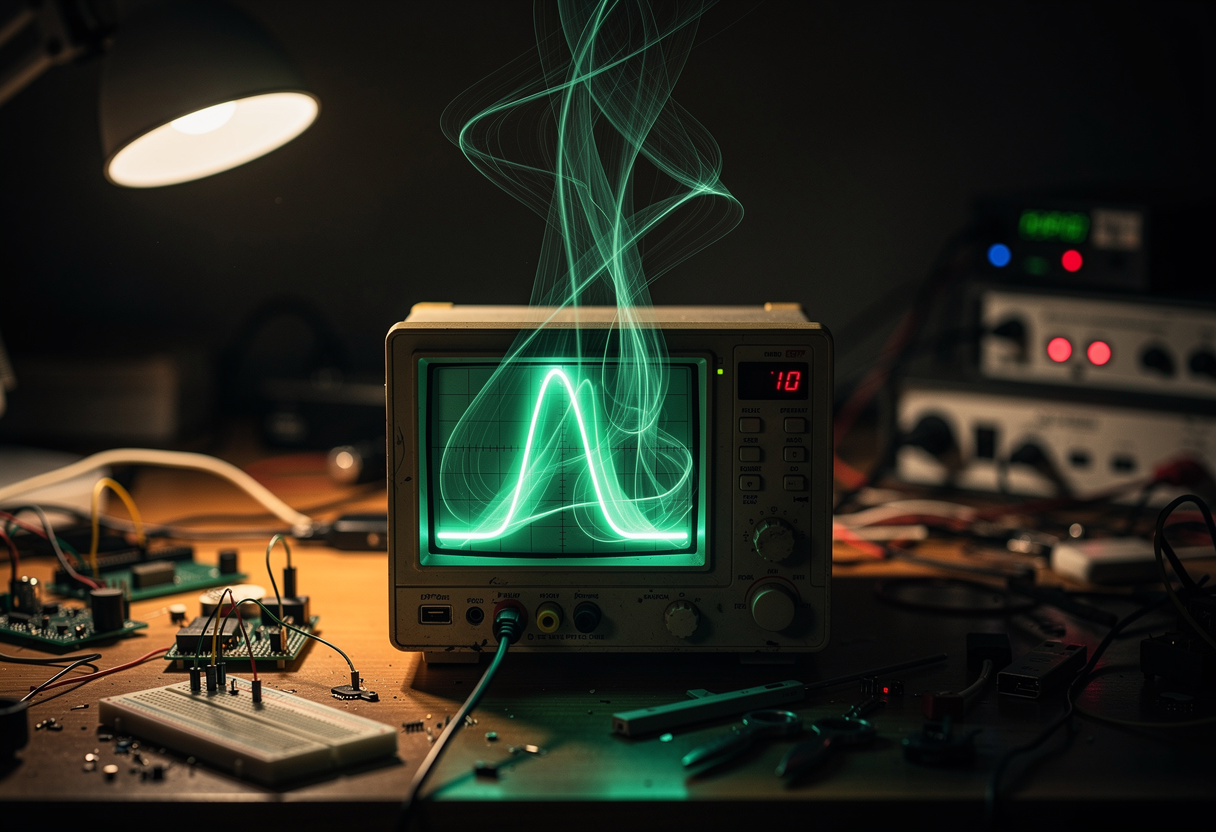
I impulse-bought an OWON VDS1022I. It is a USB oscilloscope — compact, cheap, and not especially fast — and I bought it because I kept running into situations where a multimeter wasn't enough. Timing problems. Signal integrity questions. Voltage droops that disappeared the moment the measurement changed the circuit.
The plan was simple: plug it in, capture some waveforms, use them when debugging. The plan did not survive contact with macOS.
The installer that almost worked
The OWON VDS1022I does not ship with native software for Apple Silicon. There is, however, an unofficial community effort: florentbr/OWON-VDS1022 — a reverse-engineered Python API, a Java GUI application, and a macOS installer. I cloned it and ran the installer as root.
It appeared to work. The app appeared in /Applications. I launched it.
Nothing happened. The app bundle was malformed.
After some digging, the problem turned out to be in the write() function inside install-mac.sh:
write () {
    echo -e "$(</dev/stdin)" > "$1"
    [ -z "$2" ] || chmod "$2" "$1"
}
This function is used throughout the installer to write the launch script and the Info.plist. BSD echo (as found on macOS) and many shells in POSIX mode ignore the -e flag — behavior is not portable across platforms. The result: the literal string -e appears as the first word of the output.
The launch script started with -e #!/bin/bash. The Info.plist started with -e <?xml. Neither was usable.
The fix is one word:
write () {
    cat > "$1"
    [ -z "$2" ] || chmod "$2" "$1"
}
cat reads stdin and writes it exactly. No flag parsing, no platform divergence. printf would also work; echo is the trap for scripts that move between Linux and macOS. I submitted PR #115 and patched my local copy with sed to get moving.
Java on Apple Silicon
The installer also checks for a Java runtime via /usr/libexec/java_home. What it does not check is whether that runtime is native or Rosetta. I had an Intel JVM installed, which /usr/libexec/java_home returned without complaint. The GUI launched under Rosetta.
That in itself was fine for the graphical app. But it was a hint that things were going to require careful attention to architecture all the way through the stack. Getting Java to report aarch64 rather than x86_64 required swapping out the JVM for an arm64 distribution — I used Temurin 21 aarch64. You can verify you have the right one with:
java -XshowSettings:properties 2>&1 | grep os.arch
# should print: os.arch = aarch64
Once that was done, the app ran natively.
libusb needs root
The Python API — the part I wanted to script against — talks to the oscilloscope over USB via pyusb and libusb. On macOS, libusb uses the IOKit framework to access USB devices. IOKit access for non-HID devices generally requires root privileges or a DriverKit user-space driver with the appropriate entitlements. This is a macOS security boundary, not a libusb or pyusb limitation. Any Python script that tries to open the oscilloscope without root will get a clean permission error and nothing else.
The official florentbr API ships its own bundled libusb dylib inside the app bundle, loaded via an @rpath. That works for the Java GUI but not for the Python API if you want to call it from your own scripts. The bundled dylib has a hardcoded rpath that only resolves inside the app bundle's directory structure (you can confirm this with otool -l on the dylib and inspecting the LC_RPATH entries).
The cleaner solution is brew install libusb. On Apple Silicon, Homebrew installs to /opt/homebrew, so the library lands at /opt/homebrew/lib/libusb-1.0.dylib — where pyusb can find it system-wide, without any rpath gymnastics. That removed the bundled dylib dependency and left a straightforward pyusb → Homebrew libusb → IOKit chain.
The root requirement remained. That needed proper handling.
The sudoers problem, first pass
The obvious workaround for the root requirement is a sudoers entry: grant the user NOPASSWD for the relevant command, so capturing waveforms doesn't require typing a password every time.
The obvious implementation — the one I wrote first — pointed the NOPASSWD grant at the Python script in the git repository:
martin ALL=(root) NOPASSWD: /Users/martin/repos/nakomis/nakoscope/app/cli.py
This is a privilege escalation vulnerability. A NOPASSWD sudoers grant for a user-editable file means the user can modify that file to do anything they like and then run it as root. Anyone who can write to the repository directory — which, on a developer machine, is the user themselves — can escalate.
The fix is to not point sudoers at anything the user can edit.
install.sh copies the application files to /usr/local/lib/nakoscope/ (root-owned, not user-writable) and creates a root-owned wrapper at /usr/local/bin/nakoscope. The sudoers entry — created with visudo editing a dedicated drop-in at /etc/sudoers.d/nakoscope (mode 440) — points to the wrapper:
martin ALL=(root) NOPASSWD: /usr/local/bin/nakoscope
The wrapper re-invokes itself with sudo if not already running as root, drops potentially dangerous environment variables before doing anything else, and then invokes the Python interpreter using absolute paths throughout:
#!/bin/bash
# /usr/local/bin/nakoscope — root-owned, not user-writable
[ "$EUID" -ne 0 ] && exec sudo "$0" "$@"
unset PYTHONPATH PYTHONSTARTUP PYTHONHOME
unset DYLD_INSERT_LIBRARIES DYLD_LIBRARY_PATH
exec /usr/local/lib/nakoscope/venv/bin/python \
     /usr/local/lib/nakoscope/app/cli.py "$@"
The [ "$EUID" -ne 0 ] && exec sudo "$0" "$@" line is what makes elevation transparent — running nakoscope without sudo automatically re-invokes with sudo, which is passwordless thanks to the sudoers entry. The unset lines defensively strip the environment variables most likely to redirect Python imports or library loading. (sudo already resets much of the environment, but being explicit here is cheap insurance.) The interpreter and all imported code live under /usr/local/lib/nakoscope/, which is root-owned and not writable by the user. Absolute interpreter and module paths prevent PATH or library hijacking entirely.
The wrapper is owned by root and not writable by the user. The installed code is owned by root. The NOPASSWD grant escalates to root only for that specific binary, which cannot be modified without already being root. Updating requires re-running sudo bash install.sh, which copies fresh files from the repo into the system location.
It mirrors the principle behind sudo-invoked root wrappers like ping — the user-facing binary is system-installed; the user's source tree is not the thing running as root.
To uninstall cleanly: sudo rm -rf /usr/local/lib/nakoscope /usr/local/bin/nakoscope /etc/sudoers.d/nakoscope.
nakoscope
With the access problem solved, I built what I actually wanted: a tool called nakoscope for capturing, storing, and querying waveform data. The repo is at github.com/nakomis/nakoscope — the quick-start is brew install libusb, then sudo bash install.sh, then nakoscope record_for --duration 5s.
The architecture is straightforward:
VDS1022I (USB) → recorder → storage backend
                             ├── local HDF5
                             └── S3

Claude / MCP → MCP server → storage backend (read-only)
Waveforms are stored in HDF5 format. Each capture session is a group containing the voltage sample arrays and metadata — sample rate, timebase, channel settings, timestamp, any notes you want to attach. The storage layer is pluggable: local HDF5 for quick captures, S3 for anything I want to query later from a conversation.
The device layer is pluggable too: VDS1022Device subclasses an abstract CaptureDevice and implements connect(), configure(), disconnect(), and frames(). Adding support for a different oscilloscope means writing a new subclass, not touching anything else.
Configuration lives in ~/.nakoscope.yaml. The device key in the config (device: vds1022) is lowercase — that's not a typo, it's just the config identifier for the VDS1022Device class:
backend: s3
device: vds1022

s3:
  bucket: my-nakoscope-bucket
  prefix: nakoscope/
  aws_profile: nakom.is-sandbox

capture:
  sample_rate: 250000
  channels: [CH1, CH2]
  v_range: 10.0
  coupling: DC
  probe: 1.0
CLI flags override config file values. No sudo required at the command line — the wrapper handles elevation silently.
Python, the GIL, and Rust
The Python API for the VDS1022I tops out at roughly 400,000 samples per second. That's the GIL. The capture loop is reading USB frames in a tight loop, and Python's threading model prevents the interpreter from doing that at full USB throughput.
For most purposes 400 KS/s is plenty. For anything approaching the oscilloscope's rated maximum it obviously isn't — the VDS1022I is rated at 100 MS/s single-channel and 50 MS/s dual-channel, though in practice the realistic sustained rate is well below the theoretical maximum in either mode.
I wrote a Rust binary — nakoscope-capture — that reimplements the USB read loop from the same protocol that florentbr reverse-engineered. Build it with cd capture && cargo build --release. It streams captured frames to stdout in a simple binary format (a four-byte magic header, a channel byte, a sample count, and then the raw bytes). The Python wrapper spawns it via subprocess.Popen and reads that pipe, converting frames into CaptureFrame objects.
| Path | Sustained throughput |
|---|---|
| Python (pyusb) | ~400 KS/s |
Rust (nakoscope-capture) | ~1.25 MS/s |
The Rust figure was measured on an M2 MacBook Pro, macOS 14.5, libusb 1.0.27, dual-channel, 8-bit samples. Not the theoretical limit, but well above what the Python path can manage.
The device driver tries the Rust binary first. If it is not built, it falls back to the Python path with a warning:
if _RUST_BIN.exists():
    yield from self._frames_rust()
else:
    logging.warning(
        'Rust binary not found at %s. '
        'Run: cd capture && cargo build --release. '
        'Falling back to Python API (max ~400 KS/s).',
        _RUST_BIN,
    )
    yield from self._frames_python()
The handoff between Python and Rust requires releasing the USB handle — libusb only allows one owner at a time. The Python driver calls usb.util.dispose_resources(dev) before spawning the Rust process, which then opens and re-configures the device itself.
The MCP server
The point of all this was to make waveform data queryable from a Claude conversation.
The MCP server exposes five tools: list_sessions, get_session_info, get_waveform, record_for, and start_recording/stop_recording. The read tools pull from storage. The capture tools drive the oscilloscope directly — record_for is the workhorse for scripted bench tests where the duration is known in advance; start_recording begins an open-ended capture and stop_recording ends it, for situations where you want to stop when something interesting happens rather than after a fixed interval.
get_waveform downsamples large captures to a configurable point limit (default 5,000) before returning them. It uses min/max binning: the data is divided into buckets and each bucket returns both the minimum and maximum value, which preserves spikes and transients that naive decimation would discard. (If you're familiar with LTTB decimation, this is a simpler alternative that prioritises extremes over visual fidelity.) 208,000 samples at 50 KS/s is too much to put in a context window usefully; 5,000 representative points is enough for Claude to reason about the shape.
The MCP server is registered via meta-mcp — the lazy-loading MCP proxy I wrote about previously. It is not loaded at Claude startup; it is spawned the first time Claude needs it.
The first capture
The first successful end-to-end run captured the oscilloscope's own calibration output — the probe compensation square wave that every oscilloscope provides for checking probe settings. It was a known signal: 1 kHz, clean edges, fixed amplitude. A good test case precisely because the right answer is already known.
The plumbing worked. Data flowed from USB into HDF5, from HDF5 into S3, from S3 through the MCP server into the conversation. At 50 KS/s over 4.16 seconds that produced around 208,000 samples per channel — more than enough to confirm the chain was intact.
The MCP layer returned the min/max binned view to Claude: 5,000 points across 4.16 seconds. At that resolution the individual 1 kHz cycles — each just 1 ms wide — weren't resolved. But this is where min/max binning earns its keep: rather than aliasing the square wave into noise or a misleadingly smooth curve, each bin captures the full voltage swing of whatever cycles fell inside it, rendering the waveform as a solid band at the correct peak-to-peak amplitude. Claude saw the right envelope, the right gross shape, and the correct voltage range. Every link held.
What I actually learned
Three things are worth carrying forward.
The echo -e portability trap is the kind of thing that looks right until it fails. echo is one of the first commands you learn. The idea that it behaves differently between Linux and macOS is genuinely surprising — until you've seen it fail. Use printf or cat in scripts that need to be portable.
The sudoers issue is more serious. Pointing NOPASSWD at anything in a user's home directory is a privilege escalation waiting to happen. The pattern to use — install to a system directory, point sudoers at the system copy, use a root-owned virtualenv, sanitize the environment in the wrapper, require sudo install.sh to update — adds about thirty lines to the installer and removes the vulnerability entirely.
The GIL ceiling at 400 KS/s is a useful number to know. Dropping to Rust for the hot loop and keeping Python for everything else (configuration, storage, the MCP layer) is not premature optimisation when the alternative is hitting a hard wall on throughput. The interface between them — a simple binary protocol over a pipe — is easy to reason about and easy to test independently.
Martin Harris writes about connecting real hardware to abstract cloud infrastructure. If you've ever soldered something to an API Gateway, you're in the right place.
If you find this blog useful, please consider a donation.